
Make no mistake: PCBA design is initially a challenging design task. After all, whole industries are necessary for the software that supports designers in bringing a schematic to life based on input from engineers and manufacturers’ datasheets. Like any new task, breaking up the lengthy and seemingly convoluted process into bite-sized pieces is best. This PCBA design guide looks over the entire design process, from schematic to final documentation, to discuss general guidelines for new designers to avoid common early pitfalls.

Schematic-Integrating schematic design with land patterns

Stack-up-Choosing physical parameters of the board and designing layer count

Placement and Routing-
Designing the circuits, connections, and copper features of the board

Documentation-Providing machine operators the detailed information for board design
Schematic and Land Patterns
The schematic will be the initial design stage, whether the engineer populates the document or the layout designer uses it as the controlling document for the project. The primary concern at this point is avoiding any mistakes in connections or net labeling. Part of the schematic design will also include creating and updating land patterns to maintain consistent associations between components at the schematic and board levels.

Methods of Land Pattern Creation |
|||
|---|---|---|---|
| Component Wizard | Creation By-Hand | ||
Enter the relevant package dimensions (provided by the manufacturer’s datasheet) to build a footprint for common packages. |
Use the manufacturer’s dimensions to design the footprint layers by hand. This approach is more involved and time-consuming than entering common dimensions for a package, but it allows designers to build nonstandard land patterns. |
||
Verify package dimensions (body, pad size, etc.) |
Verification must also be more thorough since checkers can’t assume package details. |
||
Components in preferred packages may be unavailable, and alternate replacements may be necessary. There isn’t much designers can do to circumvent this process, but luckily, updating the BOM assembly information via netlist associations at the schematic level is possible. Designers can even be proactive and create alternate part land patterns for components, such that implementation only requires the association mentioned above and any minor routine cleanup.
The Dual Role of the Stack-Up in Design
The stack-up defines many features of the board design based on engineering specifications. First and most important will be impedance profiles: for single- and double-ended traces, designers must specify targeted impedance values. Rarely is this anything but 50 Ohms for single-ended traces, and often double-ended traces are at 100 Ohms, but different data transmission protocols also exist for 80, 90, 120 Ohms, and more. Because the outer layers will directly contact the atmosphere, calculations will differ enough to necessitate impedance profiles for inner and outer layers of the same impedance value.
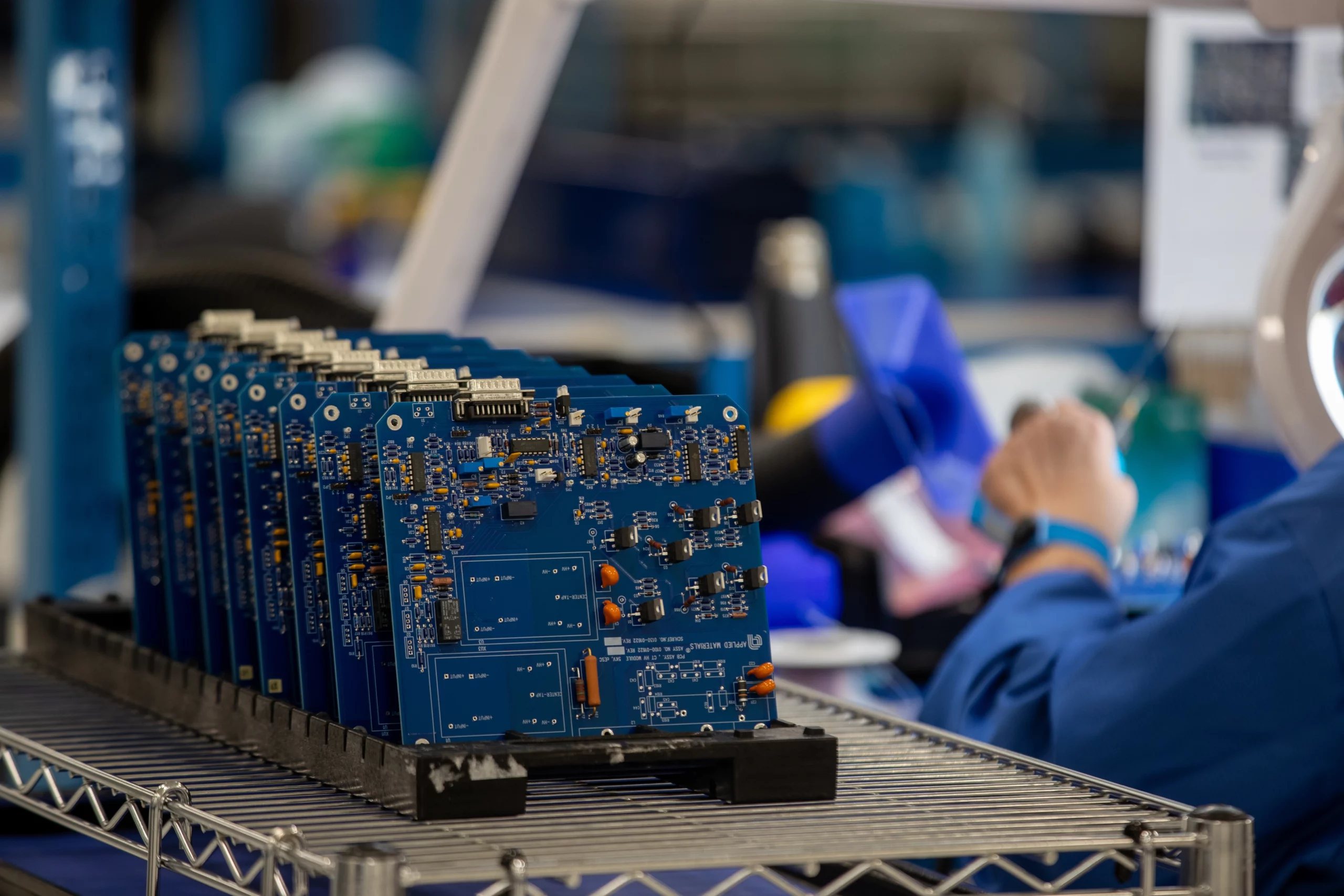
While many variables are in play, including the choice of substrate material, the trace factors most directly influencing the impedance will be the trace width and the dielectric height. The trace width can be misleading, as the acid etching will form a trapezoidal shape due to the solution having more contact with the upper sides of the trace as it works around the etch protectant. The base of the trace is always wider than the top, and manufacturers’ datasheets often report this value as the “singular’ width of the trace (in reality, the top width will be about a half-mil shorter).
Building the impedance profiles is only half of the stack-up usage. The designer will want to begin planning how they will distribute power planes, ground planes, and routing planes throughout the stackup to maximize signal and power layers while keeping reference plane distance to a minimum. Distribution should be balanced — think of the innermost core as a double-sided mirror. This method will not work for every design — sometimes, it may be necessary to borrow a plane layer for signal or vice versa, but it will often provide an excellent starting point.
Routing planes should always have an adjacent ground plane on one side for reference. Most designers will insert ground planes on layers two and the second-to-last layer to reference the outer-layer signals, an internal power plane or signal layer on layers three and the third-to-last layer. This stack-up monomer will continuously repeat on larger boards, though power or routing design needs may cause slight deviations.
PCBA Design Guide for Placement and Routing
Placement and routing will be where the designer can place their thumbprints on the design. Give any two designers a blank board with the same netlist and design rules; the final designs will differ immensely. While there are scientific underpinnings to this development stage, significant creativity and expression exist. Even viewed absent any artistry, design is a constant tradeoff between multiple aspects of optimization, and it is essential to establish an overall design hierarchy:
- Focus first on the most “central” signals or circuitry that represent the core functionality of the board and will have cascading effects if designed poorly. These will usually be things like data transfer lines, clock signals, and differential pairs. Prioritizing these project elements ensures no sacrifices involving their operation down the road.

- Power circuitry design should include plenty of space around components and copper features to prevent induction in nearby traces, especially around switches. Capacitors must be arranged with capacitance increasing radially away from regulators/converters. Low capacitance nearby helps ensure that the quick charging/discharging elements are closest to the central power components while the less reactive capacitors sit further away.
- If the board contains an FPGA, the pitch between pins/pads is likely the most limiting factor in determining the spacing between traces and the via size.
- Routing should be direct and used via transitions at most necessary. One method of organization is to have routing layers organized into alternating vertical and horizontal weaves. This crisscrossing serves two benefits: first, it is an organizational tool to maximize layer routing on dense boards. Secondly, alternating the travel direction minimizes plane-to-plane coupling on adjacent layers, bolsters signal integrity, and keeps actual impedance closer to targeted values.
- The stackup and any sensitive equipment should be considered, especially regarding split power planes. Traces referencing multiple planes may not possess the characteristic impedance described in the stackup due to poor return paths. Split or mixed planes constrain routing on the design layer and any layers that reference said layer.


Providing Clear and Concise Documentation
After final verification from the customer, the layout designer’s job is complete until the next revision cycle. However, choices made during design will have far-reaching implications, seeing as documentation generated directly from their work will now be the gold standard for many steps of fabrication and assembly. Documentation must be straightforward and devoid of ambiguity to provide floor operators with clear instructions. There are extra steps that designers can take to reduce communication issues:

A Contract Manager For All PCBA Design
This PCBA design guide introduces new designers to the PCBA design process while offering more seasoned designers helpful reminders. At VSE, we’re interested in one thing: building electronics for customers by a team of passionate engineers. We work with our partners to incorporate the best design practices and processes into your board to provide you and your customers with exceptional products.
Contact Us →
Contact us today to learn more about partnering with us for your next project.
If you are looking for a CM that prides itself on its care and attention to detail to ensure that each PCB assembly is built to the highest standards, look no further than VSE.